IT Mushroom services
Websites & Digital Systems
Build or improve the digital systems your customers and team depend on.
We design, build and support websites, forms, portals and connected tools that make information easier to find and work easier to manage.
What we can build and improve
A project can be as straightforward as rebuilding a business website or extend into forms, portals and connected systems when the work calls for it.
Website builds & rebuilds
Build a new business site or replace one that is confusing on mobile or difficult to update, with clearer navigation and reusable page layouts.
More detail
We design and build pages, structure content, configure publishing and migrate existing material. Navigation, metadata and redirects help people and search engines reach the right information.
Forms & digital intake
Connect a form to the next step so your team receives structured information instead of chasing missing details or entering it again.
More detail
We build usable forms, server-side validation, file uploads and routing into email, a spreadsheet, CRM or database. We test errors and confirmations as well as the successful submission.
Portals & focused digital tools
Give staff, clients or partners one place to enter, review or act on information that is scattered across email and files.
More detail
We build interfaces, backend logic and database-backed features around the work. Authentication and access rules control who can see or act on information. Custom development fits where a standard website or existing tool does not meet the need.
Integrations & digital workflows
Connect a website or tool to existing business systems to reduce manual handoffs and repeated entry.
More detail
We implement API connections, server-side functions and data mappings, with rules for missing information and failed transfers. The interface and the workflow behind it may involve both digital-system and automation work.
Domains, DNS & hosting
Set up or move the accounts behind your site so an old provider or unclear ownership does not hold the business back.
More detail
We configure or transition domains, DNS, hosting and administrative access, checking connected email, forms and integrations before switching. Your organization retains the access and account control it needs.
Publishing & ongoing support
Create a repeatable way to publish services, courses or resources, then keep the site or system usable as the business evolves.
More detail
We build reusable content structures, troubleshoot faults and maintain the implementation. Ongoing support can cover updates, hosting, monitoring and improvements; we define what continues after launch and how your team requests help.
Websites and digital systems in practice
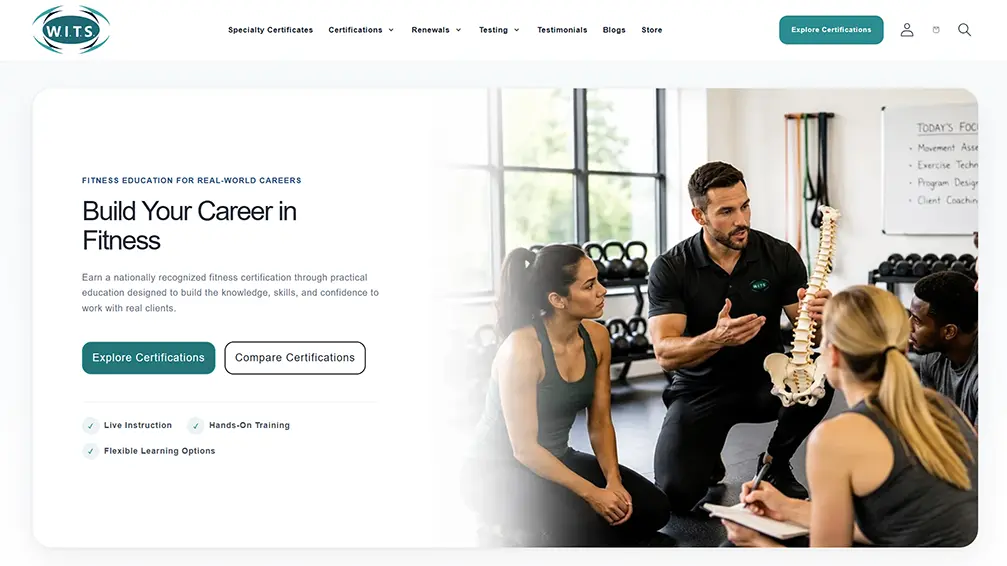
W.I.T.S. · A public website with clearer paths
We rebuilt website layouts and reorganized certification content and learning paths so visitors can understand their options, compare programs and reach the information they need to choose a next step.
MycoVP · From application to staff review
For MycoVP, we built a public application form connected to stored records, resume uploads and a staff review portal. Staff can review application details, documents and status in one interface.
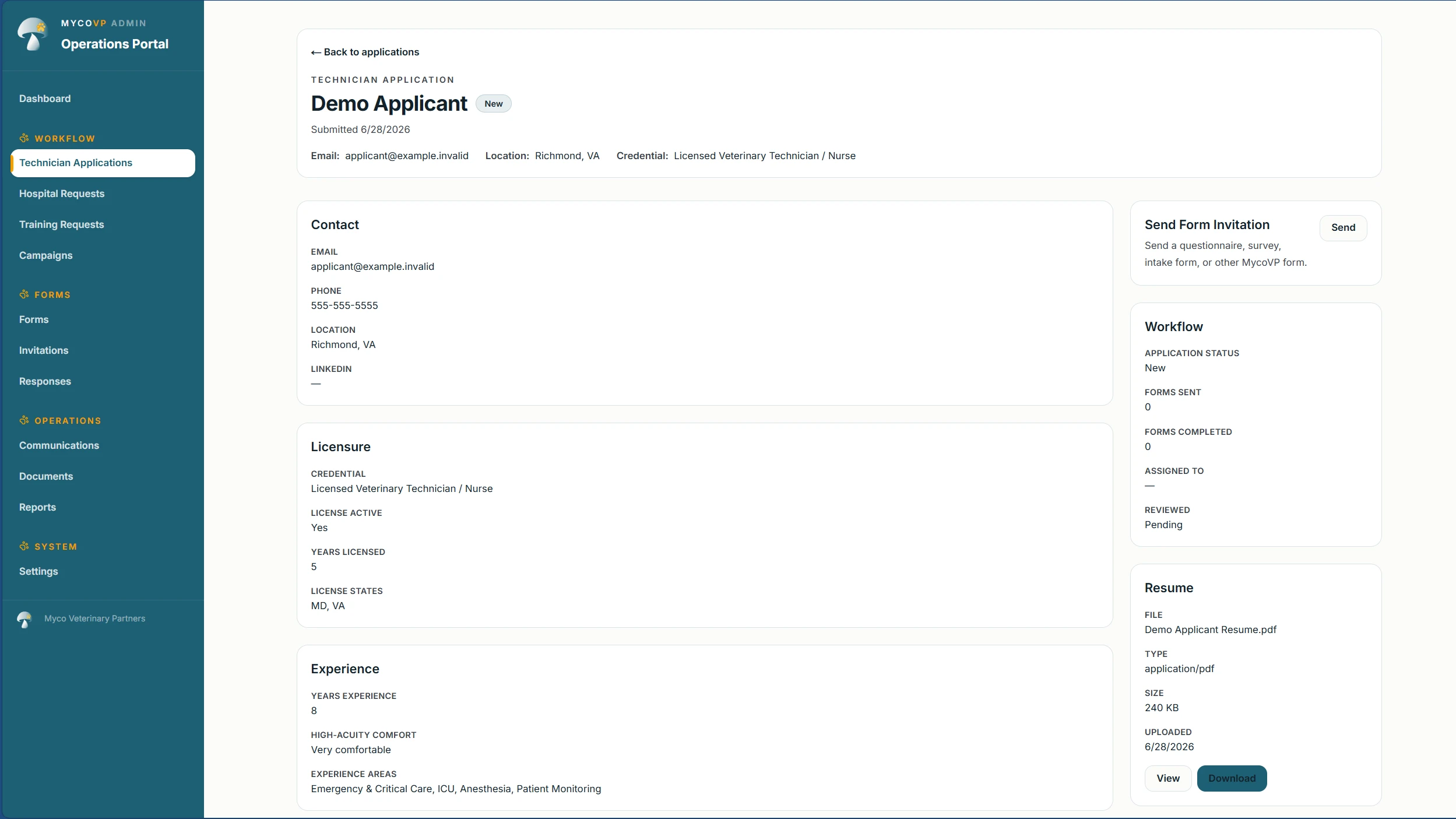
Application detail
Workflow and resume
- Apply onlineStructured form and resume upload
- Store the submissionApplication record and linked document
- Review in one interfaceStaff list, details and review status
Make information easier to find and use
- People can use it
- We build for accessibility with readable content, clear navigation, labeled forms, keyboard support, responsive layouts and appropriate contrast.
- Information can be found
- Clear page structure, useful content, metadata and technical SEO foundations help search engines understand the site and help people find the right information.
More detail
We test semantic structure, keyboard and focus behavior, forms and responsive layouts, including reduced-motion preferences. We also review crawlable navigation, redirects, performance, metadata and structured data where relevant to technical SEO.
From the business need to a working result
- Understand
Start with the audience, business goal and what the site or system needs to help people do.
- Structure
Shape the content, user paths and connections before building the details.
- Build & test
Build the pages, interfaces and backend, then test the real tasks people need to complete.
- Launch & improve
Put it into use with a practical handoff and a clear path for support and future improvements.
Keep control of what the business depends on
Your organization should know where important accounts live and who controls them, so future work does not depend on one person or provider.
What stays within reach
Domain and DNS control, hosting, administrative accounts, analytics, content and integrations need known owners. For custom systems, that also includes application access, databases and connected services. We record what matters, transfer access through appropriate channels and clarify support and remaining work.
Tell us what needs to work better
Bring us the website, process or digital experience you want to improve. You do not need a finished technical plan or the right service label to start.