IT Mushroom services
Managed IT & Support
Give your team somewhere dependable to turn when technology stops working or when they need help getting something done.
IT Mushroom supports business devices, Microsoft 365, networks, accounts and the providers behind them. We can troubleshoot directly and work out who needs to act.
- IT Support
- Computers & Devices
- Microsoft 365
- Networks & Wi-Fi
- Security & Access
- Vendor Coordination
What we can help with
Managed IT combines everyday help with routine administration and upkeep, built around the people, devices, systems and locations involved.
- IT Support
Help when everyday technology gets in the way.
More details
Give your team somewhere to ask for help. Troubleshoot everyday problems and identify the right next step.
- Computers & Devices
Set up, support and replace business devices.
More details
Set up and support business laptops and desktops, keep an inventory and plan replacements.
- Microsoft 365
Keep Microsoft 365 working for your team.
More details
Administer users, licensing and configuration. Handle cleanup and plan larger migrations as projects.
- Email & Accounts
Help people sign in and stay connected.
More details
Set up accounts, troubleshoot email and sign-in issues, and maintain access as people join, change roles or leave.
- Networks & Wi-Fi
Keep your team connected across the workplace.
More details
Investigate unreliable Wi-Fi, coverage gaps and device connectivity. Work through network equipment and internet issues, and plan upgrades when the existing setup needs to change.
- Backup & Recovery
Understand backup coverage and how recovery would work.
More details
Clarify what is backed up, who checks it and how recovery would be handled. Work through backup operation, restore checks and recovery expectations with your team.
- Security & Access
Protect accounts and manage who has access.
More details
Support account security, MFA, administrative control and employee access changes. Review device security basics and identify changes that need attention.
- Domains & DNS
Keep domain control and DNS changes manageable.
More details
Help manage domain and DNS changes, maintain usable administrative access, and coordinate with the registrar, hosting company or other provider when needed.
- Vendor Coordination
One place to start when providers are involved.
More details
Work with software, internet and other providers on support cases, configuration and transitions.
- Phones & VoIP
Help with business phone systems and providers.
More details
Help with phone-system support, configuration and transitions, coordinating with the phone or carrier provider.
- Technology Planning
Plan changes before they become urgent.
More details
Plan device replacements and routine lifecycle work. Identify improvements that need dedicated project time.
- Documentation
Keep essential technology knowledge within reach.
More details
Keep useful records of systems, devices, providers, renewals and key changes so knowledge is easier to find.





Common problems we help with
- Someone cannot sign in or get their email
- Troubleshoot the account, device or Microsoft 365 issue and determine the next step.
- Wi-Fi keeps dropping
- Investigate coverage, connectivity, equipment or internet-provider issues.
- A new employee needs to be ready to work
- Set up or coordinate accounts, access, devices and the required handoff.
- Each provider says the problem belongs somewhere else
- Start with IT Mushroom. We identify the likely source and help coordinate the next step.
What ongoing support looks like
A familiar support team and help with the technology your work depends on.
- Remote-first support, with onsite work when needed
- Most support starts remotely. Onsite work helps when the issue requires it.
- A clear route for help
- Your team knows where to ask for help and how to flag an urgent issue.
- We learn your environment over time
- Knowing your systems helps recurring issues, routine changes and provider follow-up move faster.
Support details
We establish support hours, contact routes and a way to flag urgent issues when support begins. Remote sessions are the usual starting point, with onsite visits planned when needed and practical for your location.
We keep track of open issues and routine changes so follow-up and provider conversations do not depend on memory.
When another provider is involved
You should not have to figure out which technology provider owns every problem.
Start with IT Mushroom. We investigate and help coordinate the next step if another provider is needed.
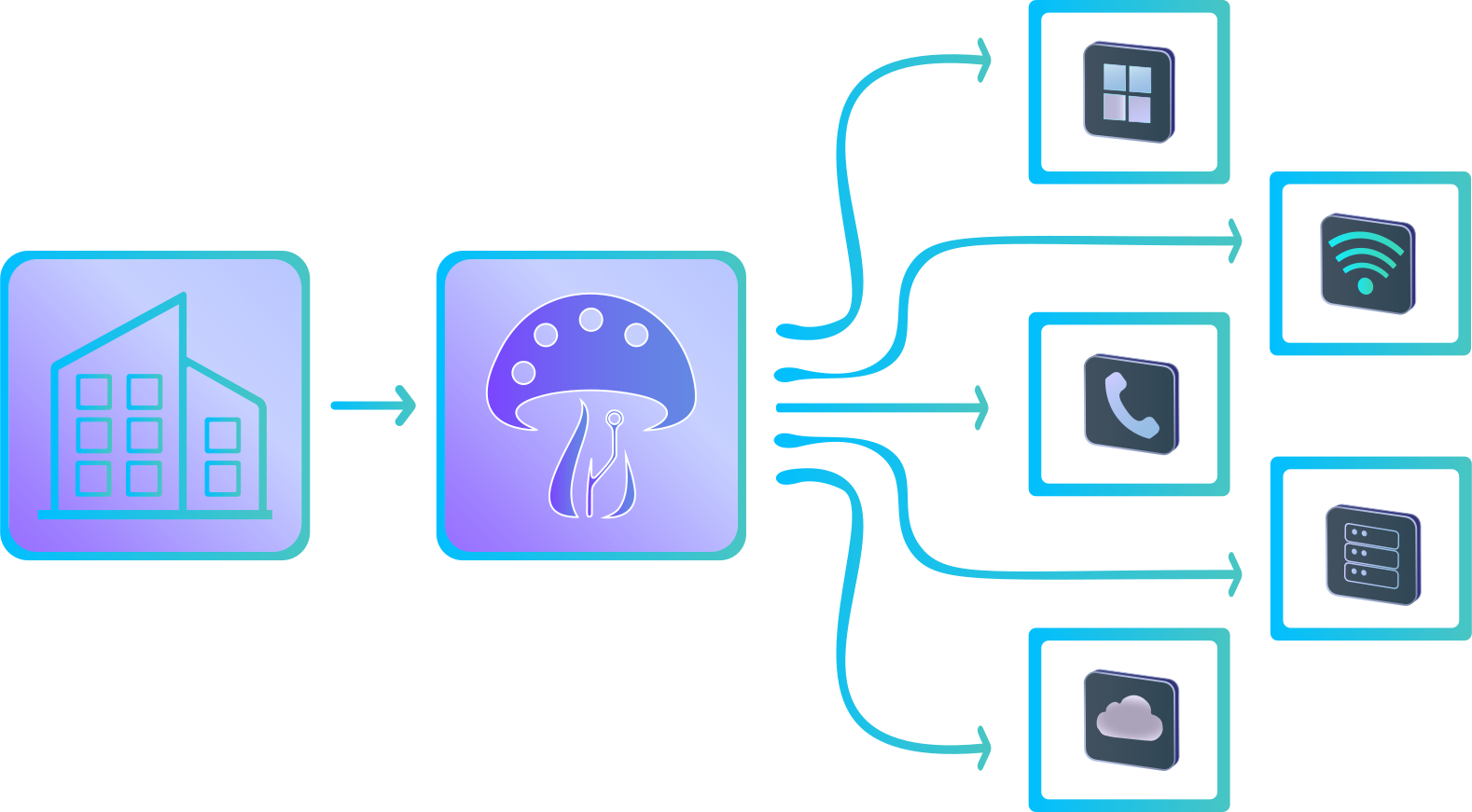
- IT Mushroom follows the technical work
- Troubleshoot what we can, coordinate the relevant provider and keep the next action clear.
- Your team makes business decisions
- We explain the options and what needs a decision, so your team can approve the next step.
- The relevant provider handles its service
- We bring the technical detail to the provider and follow up on the support case.
Provider responsibilities
Your organization keeps control of purchasing, contracts and payments. When specialist work is needed, we help coordinate the right provider and stay involved in the technical conversation, using the access you approve. Each provider handles its service and response times.
Everyday support or a separate project?
Most day-to-day support stays within the ongoing relationship. Larger changes that need planning or dedicated implementation are handled as projects.
Everyday support
- Troubleshooting
- Routine administration
- Small configuration changes
- Provider coordination
- Routine lifecycle work
Project work
- Migrations
- Major upgrades
- New systems
- Significant deployments
- Larger office or network changes
- Substantial automation
You can bring the request to us without having to classify it first. We will help work out where it belongs.
Examples
Support
- Password or sign-in issue
- Replacement laptop
- Routine permission change
- Provider support case
Project
- Email migration
- Office network redesign
- New software platform
- Major system replacement
Getting started
- Understand the work
Talk through your team, systems and current problems.
- Establish access and visibility
With your approval, gather access, device information and existing records.
- Prepare support
Review basic risks and essentials so your team knows where to turn.
- Set the first 30-day priorities
Identify what needs attention first and the right path for each change.
What gets easier with ongoing support
Useful improvements in an ongoing relationship
- Your team knows where to turn
- Support contacts, open issues and the next action are easier to find.
- Important technology information is easier to find
- Important system, provider and access information is easier to find and less dependent on one person.
- Routine changes are easier to plan
- Device replacements, employee access changes and recurring problems can be handled with more context.
Not sure if this fits?
Tell us who needs support, what technology is involved and what is getting in the way. You do not need a complete inventory or a technical diagnosis to begin.
We can help determine whether ongoing support, a project, or another specialist is the right next step.